The progress note is the most common document in healthcare. It is a simple record: what the patient said, what the clinician saw, and what they decided to do. For decades, this record was written by hand. Then it was typed. Now, it is being generated by software that listens.
This transition is not about technology for its own sake. It is about the speed of information and the quality of the interaction between two people in a room. To understand where clinical documentation is going, we have to look at the mechanics of how these notes are made.
The Era of the Handwritten Note
Before computers became standard in clinics, every therapist and doctor carried a pen. Documentation was a physical act.
The advantage of the manual note was its simplicity. A therapist could jot down a few words during a session without breaking the flow of conversation. The paper didn’t have a glowing screen or a keyboard to distract the patient. It was a low-tech, reliable system.
But the manual note had three major flaws:
- Legibility: If another doctor couldn’t read the handwriting, the note was useless.
- Storage: Paper files take up space.1 They can be lost in a fire or misfiled in a cabinet.
- Speed: Humans write at a speed of about 20 to 30 words per minute. A typical conversation happens at 150 words per minute. The gap between the two meant the therapist had to summarize heavily, losing 80% of the detail.
The Digital Shift: Typing and Templates
In the early 2000s, Electronic Health Records (EHRs) became the standard. This solved the legibility and storage problems. Every note was now clear, searchable, and backed up on a server.
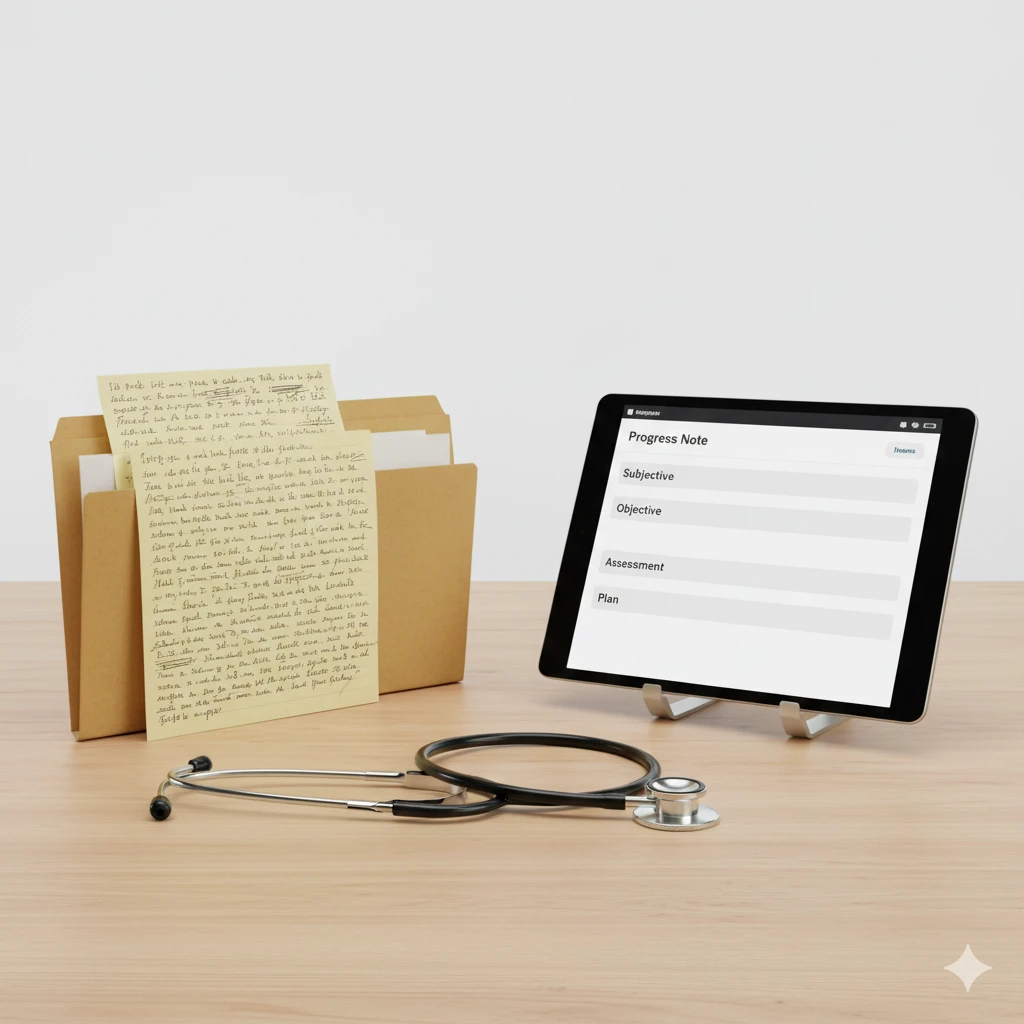
However, this created a new problem: the “Note-Taking Paradox.” To create a detailed digital record, the clinician had to type. Typing requires looking at a keyboard and a screen. While the clinician was typing, they weren’t looking at the patient.
Clinics tried to solve this with templates. A template is a pre-written form where the clinician clicks boxes or fills in small blanks. While templates made documentation faster, they made the notes “sterile.” Every patient started to look the same in the record. The unique voice of the individual was lost in a sea of checkboxes.
The Cognitive Load of Clinical Writing
Writing a progress note is not just data entry. It is a high-level mental task. The clinician must filter out small talk, identify symptoms, recall the history of the patient, and apply a clinical framework.
When a clinician does this manually, they are performing “double-tasking.” They are trying to be an empathetic listener and an accurate historian at the same time. This leads to cognitive fatigue. By the end of a long day, the quality of the notes drops because the brain is tired.
This fatigue is the primary driver of burnout. It isn’t the patients that exhaust clinicians; it is the two hours of mental gymnastics required to document those patients afterward.
How Ambient Software Works
Modern progress notes are now moving toward “ambient” assistance.2 This software does not require the clinician to type or click boxes during the session. Instead, it uses a microphone to listen to the conversation.
The process follows a specific sequence:
- Recording: The software captures the audio of the session.
- Diarization: The program identifies who is speaking (the clinician vs. the patient).
- Filtering: It removes non-clinical speech, like a conversation about the weather or the drive to the office.
- Categorization: It sorts the clinical information into a standard format, usually the SOAP note.
A SOAP note is the industry standard for progress notes. It organizes data so any other healthcare professional can understand the case in seconds.

Subjective (S)
This section captures the patient’s own words. If a patient says, “I’ve been feeling a heavy weight in my chest every morning,” the software identifies this as a subjective symptom. It records the patient’s perspective without judgment.
Objective (O)
This section includes facts and observations. This might include vital signs, results from a screening test, or the clinician’s observations of the patient’s behavior—such as “Patient appeared restless” or “Patient maintained consistent eye contact.”
Assessment (A)
The software looks at the S and O sections to suggest a clinical interpretation. It might note that the reported symptoms align with a specific diagnosis. However, this is where the human clinician is most important. The software provides a draft, but the clinician must confirm the assessment.
Plan (P)
This is the roadmap for treatment. It includes medication changes, homework for the patient, or the date of the next appointment.4
By using a tool like Supanote, the clinician receives a completed draft of these four sections immediately after the session ends.
Accuracy: Human Memory vs. Software
Human memory is a reconstructive process.5 We do not record events like a video camera; we remember the “gist” of what happened and fill in the blanks later. If a therapist writes a note three hours after a session, they are relying on a filtered, imperfect memory.
Software does not have this limitation. It records the exact words used. It doesn’t forget that the patient mentioned a specific date or a specific dosage of a drug. When a note is generated from an audio recording, the accuracy of the record increases significantly.
This is vital for legal protection. If a clinician is ever questioned about a session, having a detailed, accurate note is their best defense. “Patient seemed fine” is a weak record. “Patient reported a 20% improvement in mood and denied any thoughts of self-harm” is a strong, protective record.
Privacy and Data Security
One of the biggest concerns with modern documentation is privacy. If a device is “listening,” where does that data go?
Modern clinical tools are built with “Privacy by Design.” This means:
- HIPAA Compliance: The data is encrypted both when it is sitting on a server and when it is being sent over the internet.
- No Permanent Storage: Many ambient tools do not keep the audio recording. Once the note is generated and confirmed by the doctor, the audio file is deleted. The software only keeps the text of the note.
- Consent: No session is recorded without the patient’s permission. Most patients are comfortable with the process when they realize it means their doctor will be looking at them instead of a computer screen.
The Role of the Clinician as Editor
There is a common misunderstanding that AI “writes” the note. In reality, the software “drafts” the note.
The distinction is important. A clinician is legally and ethically responsible for what is in the medical record.6 They cannot simply hit “save” and walk away. They must read the draft, correct any errors, and add their own professional nuance.
The software handles the heavy lifting of organization and transcription.7 This leaves the clinician with the “high-value” work: checking the logic of the assessment and refining the plan. This shift from “writer” to “editor” saves about 80% of the time usually spent on documentation.
Economic Impact for Healthcare Practices
For a clinic, time is the most valuable resource. If a clinician can save 10 minutes per note and they see 30 patients a week, that is 300 minutes—five hours—of recovered time.
That time can be used in three ways:
- More Patients: The clinic can see more people, reducing wait times and increasing revenue.8
- Better Care: The clinician can spend more time on research or supervision.
- Sustainability: The clinician can go home on time, reducing the cost of turnover and hiring.9
When documentation is fast, the entire business of healthcare becomes more stable. It moves from a model of “struggling to keep up” to a model of “proactive management.”
Practical Steps to Transition
Moving from manual or template-based notes to assisted notes doesn’t happen overnight. It requires a change in workflow.
- Step 1: The Setup. The clinician needs a quiet room and a reliable device (phone or tablet).
- Step 2: The Introduction. The clinician explains the tool to the patient. “I’m using this software to take notes so I can focus on our conversation. Is that okay with you?”
- Step 3: The Session. The clinician conducts the session normally. There is no need to speak differently or use clinical jargon for the sake of the software.
- Step 4: The Review. After the patient leaves, the clinician spends two minutes reviewing the draft, making edits, and signing off.
This workflow is simpler than the old way of typing while talking. It allows the clinician to return to the core of their training: observing and helping the person in front of them.
Conclusion
The progress note is changing from a chore into a secondary result of a good conversation. We are moving away from the era where clinicians were forced to act like secretaries.
By using modern tools to handle the structure of clinical records, we ensure that the documentation is accurate, the clinician is rested, and the patient is seen. The goal is not to let technology take over the session, but to let technology handle the paperwork so the human can handle the session.

 Dubai Fitness Travel: Best Sport Hubs to Visit on a Rental Car
